Google Business Profile for Small Business India: Free Setup Guide (2026)
A client of mine in Ambala had been running a hardware shop for 11 years. Good location, loyal customers, solid reputation in the area. But when his nephew searched “hardware shop near Ambala” on Google, the shop did not appear. Not on page one. Not on page two. Nowhere.
His competitor down the street, a smaller shop with less stock, was sitting in the top three results on Google Maps with 47 reviews and a fully filled profile.
My client lost walk-in customers every single day and did not know it.
One afternoon, we set up his Google Business Profile together. It took about 45 minutes. Within three weeks, he was appearing in local search results. Within two months, he was getting an average of 12 to 15 calls per week directly from Google.
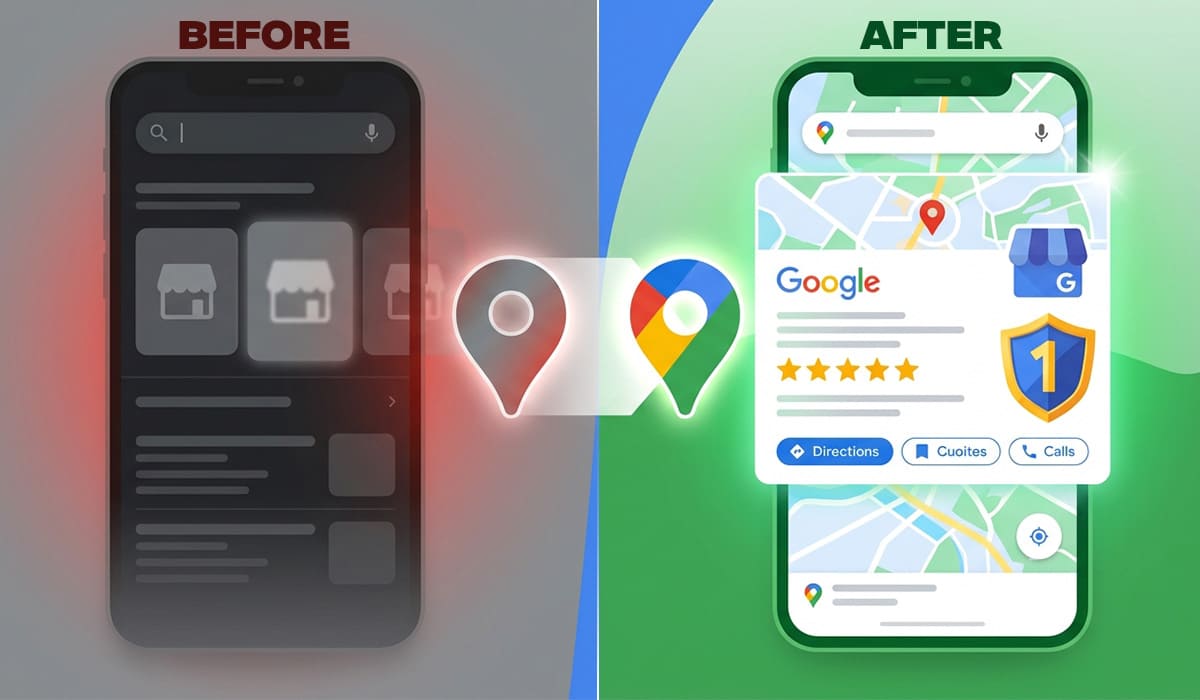
Zero ad spend. Zero monthly fee. Just a free profile done right. If you want to create a Google Business Profile for small business, this step by step setup guide will help you get listed on Google Maps.
This is what a well optimized Google Business Profile can do for an Indian small business. Many people search “Google Maps pe apna business kaise daale” or “Google par apni dukan kaise dikhayein”.
Why This Matters More In India Than Anywhere Else
India has over 800 million internet users. Most of them are on mobile. And when someone in Ludhiana searches for “best accountant near me” or “AC repair Chandigarh,” Google shows them a Local Pack. Those three business listings that appear right at the top of the results, above every website link, above every paid ad.
If your business is not in that Local Pack, you are invisible to that person. They will call one of the three who are.
Here is what the data shows. Businesses with a complete and verified Google Business Profile receive significantly more calls, direction requests, and website clicks than those with incomplete or missing profiles. Photos alone can increase direction requests by 42% and website clicks by 35%.
And the best part? This entire thing is free. Completely free. No subscription. No monthly charge. Google lets you claim, verify, and manage your listing at no cost.
What Exactly is Google Business Profile?
Google Business Profile, previously called Google My Business (GMB), is the tool that controls how your business appears on Google Search and Google Maps.
When someone searches for your business name, or searches for a service you offer in your city, your listing is what they see. It shows your business name, address, phone number, website, opening hours, photos, customer reviews, and much more.
Think of it as your digital shopfront on Google. Even if you have a professional website, this profile is often the first thing a customer sees. A strong, complete listing builds trust before they ever click your website link.
For a business with no website at all, it becomes even more powerful. It gives you a verified, professional looking presence on the internet without needing to build anything from scratch.
Who Needs A Google Business Profile?
- Shops and retail stores. If people can walk into your business, you need to be on Google Maps. Period.
- Service businesses. Electricians, plumbers, AC technicians, accountants, lawyers, consultants, tutors, photographers anyone who serves customers in a specific area needs a profile.
- Restaurants and food businesses. Food searches are among the highest volume local searches in India. No GBP means missing out on a massive opportunity.
- Healthcare providers. Doctors, dentists, physiotherapists, and clinics. Patients actively search “doctor near me” on Google. If you are not there, a competitor is.
- Home based businesses. Even if you work from home and do not have a storefront, you can create a service area profile that covers the cities or zones you serve.
- Online businesses with Indian customers. If you sell products or services to Indian customers and want to build trust and local relevance, a GBP adds credibility to your brand.
Step By Step Setup: Google Business Profile India 2026
Step 1: Go to the Right Place
Open your browser and go to business.google.com. Sign in with your Google account or create one if you do not have a business Gmail yet. Using a business email address (like yourname@yourbusiness.com) looks more professional than a personal Gmail.
Step 2: Enter Your Business Name
Type your exact business name as it appears on your signboard, visiting card, or registration documents. Do not add extra keywords to your business name like “Best Electrician Delhi” Google will flag this as spam and may suspend your profile. Your name should just be your actual business name.
Step 3: Choose Your Business Category
This is one of the most important steps. Your primary category tells Google what type of business you are, and it directly affects which searches you appear in. Be specific. If you are a dentist, choose “Dentist” not just “Healthcare.” If you are a wedding photographer, choose “Wedding Photographer” not just “Photographer.”
You can add secondary categories after setup. For example, a restaurant that also offers catering can add “Catering Food and Drink Supplier” as a secondary category.
Step 4: Add Your Location or Service Area
If customers visit your physical location, enter your complete address. If you go to customers (like a plumber or delivery service), select “Service Area Business” and add the cities, districts, or zones you serve.
For businesses with both a physical location and a service area, you can set up both.
Step 5: Add Your Phone Number and Website
Add your primary business phone number. This is the number that will appear on Google Maps make sure it is a number that is actually answered during business hours. If you have a website, add the URL. If you do not have a website yet, you can leave it blank for now, but we will come back to this.
A modern and well structured website design also plays a key role in building trust and improving user experience.
Step 6: Verify Your Business
This is where most people get stuck, so here is what to expect.
Google needs to confirm that your business is real and that you are its owner. The verification method Google offers depends on your business type and location.
Video verification is the most common method in India in 2026. Google will ask you to record a short video showing your business location, signage, and the interior. This sounds intimidating, but it is just a simple walkthrough video using your phone camera. Record it clearly, showing your shop name or signboard, the inside of your space, and yourself operating the business.
Postcard verification was the older method. Google sends a physical postcard to your registered address with a unique code. This typically takes 5 to 14 business days in India. Do not apply again or create a duplicate profile if your postcard has not arrived yet just wait.
Phone or email verification is offered for some business categories. This is the fastest method and completes in seconds with an OTP.
Once verified, your profile goes live and starts appearing in Google Search and Maps.
Optimizing Your Profile: What Separates Top Ranking Businesses
Setting up a basic profile is step one. Ranking at the top of local results requires optimization. Here is what actually moves the needle.
Write a Strong Business Description
You have 750 characters to describe your business. Use them well. Do not write a generic corporate statement. Write like you are talking to a customer who just walked in and asked “So what do you do here?” Include your main services, your location, what makes you different from competitors, and a natural mention of your primary keyword phrase. Example for a web designer in Ambala: “We are a web design and digital marketing agency based in Ambala City, Haryana. We build fast, SEO ready WordPress websites for small businesses, manufacturers, and exporters across India who want more customers from Google.”Add Your Business Hours Accurately
Incorrect hours are one of the most damaging mistakes on a GBP. If your profile says you are open when you are not, a customer arrives, finds a closed shutter, and leaves a one star review. Update your hours for holidays and special occasions using the “Special Hours” feature.
Upload at Least 10 to 15 High Quality Photos
Businesses with photos consistently outperform those without. Upload photos of your shopfront exterior, the interior, your team at work, your products or work samples, and your equipment. Take these on a good phone in natural lighting. Fresh, real photos work better than stock images.
Add a short video of 30 to 60 seconds showing your space and team. This builds trust significantly. People feel like they have already visited before they ever call you.
Use the Products and Services Sections
Many Indian business owners leave these blank. Do not. Go to your profile and add each of your main services individually with a description and a price range if possible. This gives Google more signals about what you do and helps you appear in more specific searches.
Enable Messaging
Turn on the messaging feature so customers can send you a direct message from your listing. Respond within a few hours. Google tracks response rates and factors them into your local ranking signals.
Post Weekly Updates
This is the most underused feature on GBP. You can post updates, offers, and news directly on your profile, just like a social media post. These posts appear in your profile when customers view it. Businesses that post regularly tend to rank higher because Google sees them as active and engaged.
Post something every week. An offer. A completed project. A tip relevant to your industry. A festival greeting with your services mentioned. Keep it consistent.
How Google Decides Which Businesses Show Up First
Before you optimize anything, you need to understand one thing: Google does not just show the nearest business. It uses three specific factors to decide who ranks in the Local Pack. Every optimization tip in this guide connects back to one of these three.
Relevance
This is how closely your profile matches what the person searched for. If someone searches “women’s boutique in Jaipur” and your profile says you are a general clothing store with no mention of women’s wear or Jaipur, Google will show a more relevant competitor instead.
This is why your business category, description, services list, and the photos you upload all matter. Every detail you fill in gives Google more signals about what your business actually does and who it serves.
Distance
This is how far your business is from the person searching. You cannot move your shop to change this. But you can expand your reach by accurately setting your service area, creating posts that mention nearby localities, and building citations on local Indian directories like Justdial, Sulekha, and IndiaMART with your exact address.
Prominence
This is how well known and trusted your business is both online and offline. Reviews, ratings, backlinks to your website, mentions in local directories, and how active your profile is all feed into prominence. A business with 80 genuine reviews, regular posts, and a linked website will outrank a business with none of these, even if the second business is closer.
The practical takeaway: filling in your profile completely handles Relevance. Setting your service area and getting local citations handles Distance. Getting reviews, posting regularly, and having a real website handles Prominence. That is the full map of what you need to do.
The Review Strategy That Actually Works In India
Reviews are the single biggest prominence signal in local search. More importantly, they are the first thing a potential customer looks at before deciding to call you.
The right way to get reviews in India is simple. After you complete a job or a transaction, send the customer a WhatsApp message with a direct link to your Google review page. The message should be something like: “Thank you for visiting us today. If you are happy with our service, would you mind leaving us a quick Google review? It really helps us. [Your Google Review Link].” You can get your direct review link from your GBP dashboard.
Never offer money or gifts in exchange for reviews. Never ask multiple people to review you from the same location or device. Google detects this and removes the reviews or suspends your profile.
Respond to every single review, positive and negative. For positive reviews, thank the customer by name and mention your service. For negative reviews, stay professional, acknowledge the issue, and offer to resolve it offline. This shows potential customers that you care and that you take feedback seriously.
Connect Your GBP To A Real Website
A Google Business Profile is powerful on its own. But it becomes dramatically more effective when it is linked to a professional website. Google uses your website as a trust and relevance signal. A well built, fast loading website that matches your GBP information reinforces your local authority.
If you do not have a website yet, this is the right time to build one. A professional WordPress website starts from around Rs 18,000 to Rs 80,000 for a proper business site, and you can see a full breakdown of what you are paying for in our cost to build a website in India guide.
For hosting, we recommend starting with MilesWeb. Their managed WordPress plans start at just Rs 69 per month and include India server location, LiteSpeed CDN, free domain, free SSL, and free migration. For a new small business website, this is exactly the kind of reliable, affordable hosting you need without overpaying for features you do not yet need. You can check their plans here: MilesWeb Hosting Plans.
A fast, mobile optimized website connected to a strong profile is what puts you ahead of competitors who either have no website or have a slow, outdated one.
Common Mistakes Indian Businesses Make On Google Business Profile
- Using a fake address. Some businesses list a residential address or a virtual office address for a city they do not actually serve. Google has strict rules about this, and profiles with fake addresses get suspended. Use your real, verified business address or a legitimate service area setup.
- Keyword stuffing the business name. Adding words like “Best Caterer Mumbai” or “Affordable Dentist Delhi” to your business name instead of your actual name is a violation of Google’s policies and a common reason for profile suspension.
- Creating multiple profiles for the same location. If you have one business with one physical address, you should have one GBP. Creating duplicates confuses Google and can get all your profiles penalized.
- Ignoring GBP after setup. Businesses that set up their profile and never update it slowly slide down in rankings. Profiles need regular activity photos, posts, review responses to stay competitive.
- NAP inconsistency. NAP stands for Name, Address, Phone. If your business name is slightly different on Justdial, on IndiaMART, on Sulekha, and on your GBP, Google gets confused. Keep all listings identical, exact same spelling, same phone number, same address format.
Frequently Asked Questions
Is Google Business Profile free for Indian businesses?
Yes. Creating, verifying, and managing your GBP is completely free. Google does not charge any fee for this service. You only pay if you run Google Ads or use paid promotional features, which are optional.
How long does verification take in India?
Video verification is typically completed within 24 to 72 hours. Postcard verification takes 5 to 14 business days. Phone and email verification is instant if offered.
Can I create a GBP without a physical address?
Yes. If your business serves customers at their location (like a plumber or delivery service), you can select “Service Area Business” and list the areas you cover without displaying a physical address.
How many photos should I add to my Google Business Profile?
Start with at least 10 photos covering your exterior, interior, team, products or services, and work samples. Add new photos regularly at least once or twice a month. Profiles with more recent photos tend to perform better.
Why is my GBP not showing in local search?
Common reasons include profile not verified, incomplete profile sections, new profile that has not yet built ranking history, or being in a highly competitive category. Complete all sections, verify your profile, start collecting reviews, and post regular updates. Results typically take 4 to 8 weeks to become visible.
What is the Local Pack on Google?
The Local Pack is the group of three business listings that appear at the top of Google Search results for location based queries, along with a map. Appearing in the Local Pack gives you visibility above all organic search results and most paid ads for local searches.
Do I need a website to create a GBP?
No. You can create a GBP without a website. However, linking your profile to a professional website significantly improves your ranking potential and gives customers a place to learn more about you. If you are thinking about building a website, check our guide on cost to build a website in India to understand what to expect.
Can I manage my GBP from my phone?
Yes. Download the “Google Maps” app or search your business name on Google while logged into your business account. You can add posts, respond to reviews, update hours, and view insights all from your phone.
What kinds of posts should I add to my GBP?
Post about offers and discounts, new products or services, completed projects or work samples, tips relevant to your industry, festival greetings with a service mention, and local news or events related to your business. Aim for one post per week.
I got a suspension notice. What do I do?
Do not panic. First, read the suspension notice to understand which policy was violated. Common reasons include a business name with extra keywords, an address that does not match your actual business location, or a category that does not match your actual services. Submit a reinstatement request through your GBP dashboard with supporting documents like a utility bill, shop license, or GST certificate proving your business address.
Final Thought: Your Competitors Are Already There
Right now, as you read this, people in your city are searching Google for exactly what you sell or offer. If your Google Business Profile is missing, incomplete, or unverified, they cannot find you. They are calling your competitor.
The good news is that the business that wins local search is not always the biggest or the oldest. It is the one with the most complete, active, and trusted profile.
Setup takes under an hour. Optimization is an ongoing habit. The results compound over months and years. There is no faster, cheaper way to get your Indian small business in front of local customers who are ready to buy.
If you want professional help setting up and optimizing your Google Business Profile, or if you are ready to build the website that will support it, the team at 5Elements TECH can handle it all. We work with Indian businesses across every industry and we know what actually works in our market.
Disclosure: This post contains affiliate links. We may earn a small commission if you purchase through our links at no extra cost to you.
Connect & Grow
Is Your Website Still Slow?
At 5Elements TECH, we identify exactly what is slowing down your website and fix it completely. From hosting and caching to images and database, we handle everything so your website loads fast and performs better.